Free Online Landing Page Builder No Code 2026
Free Landing Page Builder No Code
🚀 Landing Page Builder
Add Elements
Properties
Select an element on the canvas to edit its properties.
The Ultimate Guide to Choosing the Best Free Landing Page Builder No Code
Digital marketing moves too fast for slow development cycles. If launching a promotion requires submitting a ticket to the engineering team, waiting two weeks for a sprint cycle, and debating CSS margins, your campaign is already losing momentum.
These days, marketers, creators, agency owners, and startup founders use no-code platforms to design, test, and publish campaigns in hours instead of weeks. Finding a reliable free landing page builder no-code platform can help you capture qualified leads, test product hypotheses, and generate revenue without touching a single line of HTML, CSS, or JavaScript.
Modern visual page editors are no longer a basic compromise. Equipped with AI layout generation, responsive breakpoint control, built-in forms, and native analytics, free no-code platforms deliver production-grade performance. When combined with a strategic approach—like using the Web Master Digital Pro Toolkit methodology—anyone can create an elite, high-converting lead capture page completely free of charge.
This comprehensive guide explains how no-code page creation works, examines the top free platforms available today, details the precise conversion architecture, highlights key trade-offs, and provides an actionable blueprint for converting traffic into paying customers.
Understanding the Rise of No-Code Page Generation
Why Traditional Web Development Is Ending for Marketers
Previously, launching a dedicated promotional page meant hiring web developers or grappling with complex content management systems (CMS) designed for massive multi-page websites. These traditional platforms were often riddled with redundant code, relied on external plugins, and were difficult to quickly customize for specific ad campaigns.
A landing page has one purpose: conversion. Every unnecessary link, navigation bar, footer widget, or slow-loading script distracts visitors from the primary call to action (CTA). Traditional web stacks make it difficult to remove these distractions without breaking the global theme style.
No-code software solves this by completely separating campaign pages from the main website codebase. You get a standalone, hyper-focused canvas specifically designed to drive visitor action.
What is a true no-code tool?
Not every visual editor is a true, user-friendly no-code tool. A true no-code website builder for marketing must meet four key technical criteria:
WYSIWYG editing: A “what you see is what you get” visual canvas where dragging an element directly reveals how it will appear online. Free Online Landing Page Builder No Code 2026
Zero syntax requirements: Totally eliminating the need for handwritten code for layout design typography adjustments, spacing or color palette changes.
Visual logic and workflow: Built-in form handling, pop-up triggers, and redirection rules are set via visual drop-down menus instead of custom scripts.
One-click publishing: Instant deployment to a global content delivery network (CDN) with automatic SSL certificate provisioning.
Key benefits of using a free landing page builder with no code
Using a free visual page designer provides immediate operational and financial benefits for both agile teams and solopreneurs.
Speed to market and rapid prototyping
In digital advertising, campaigns lose their value quickly. If you spot a trending topic or a sudden market opportunity, you need to publish a specific page before your competitors. With a responsive landing page template and free setup, you can take an idea from a napkin sketch to a live URL in less than sixty minutes.
Reducing Customer Acquisition Cost (CAC)
Engineering hours are expensive. When developers focus on building landing pages instead of core product features, business costs quickly add up. Using free tools reduces initial software and development costs to zero. This operational efficiency significantly reduces your total Customer Acquisition Cost (CAC), making paid ad channels like Google Ads and Meta Ads profitable much faster.
Unlocking Independence for Non Technical Teams
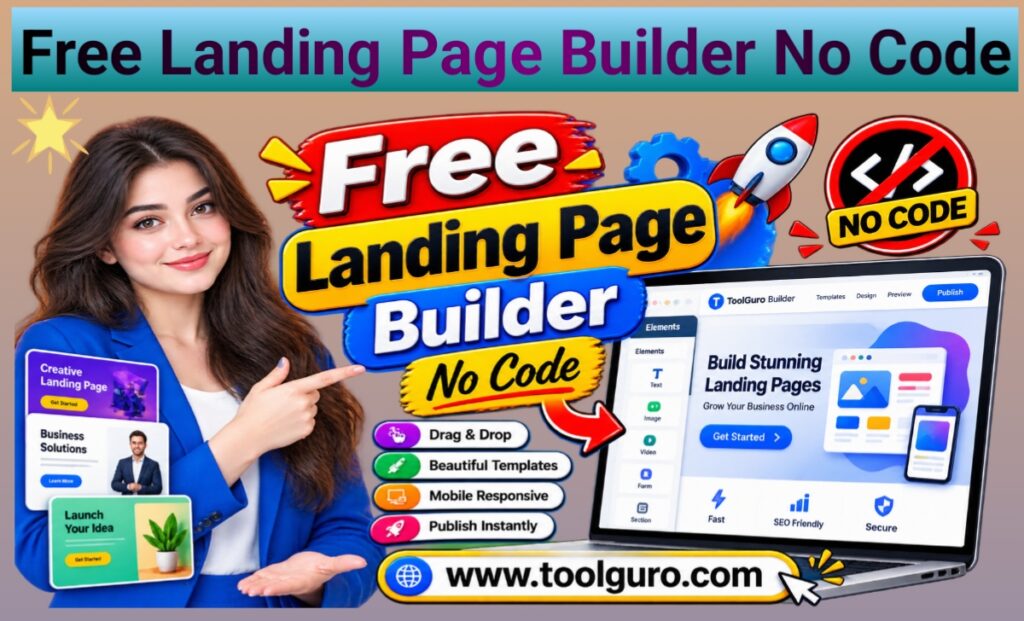
The Marketing teams perform their best when they control their own execution. A unique opt-in page generator, with no coding, gives creative control back to copywriters and growth marketers. You can adjust headlines, change hero images, change form field requirements & launch offers without waiting for developer approval.
Every no-code landing page tool should have essential features. Free Online Landing Page Builder No Code 2026.
Before choosing a platform, evaluate it for essential performance features. Never settle for a platform that restricts basic usage or charges a high price for basic lead capture functionality.
Easy Drag & Drop Visual Canvas
The visual canvas is where you spend up 90% of your time. Look for platforms that offer pixel-perfect positioning or a flexible Flexbox/Grid layout system. Pixel-perfect editors provide complete freedom in element placement, while Flexbox-based builders ensure automatic layout alignment across different monitor sizes.
Mobile Responsiveness and Breakpoint Control
More than 60% of landing page traffic comes from mobile devices. A tool that looks great on a desktop but lags on a smartphone screen is useless. Choose platforms that offer custom breakpoint editing, allowing you to hide bulky desktop graphics, adjust font sizes, and automatically stack multi-column layouts into a clean, single-column mobile structure.
Native Form Builders & Lead Capture Triggers
Capturing user data is a key goal of a lead generation. Your chosen drag-and-drop landing page builder should include native forms that support:
Custom input fields (name, email, phone number, dropdown selection).
Form validation rules (ensuring real email addresses are entered).
Hidden UTM tracking fields to identify ad traffic sources.
Custom post-submission behavior (showing a thank-you message or redirecting to a custom URL).
SEO Controls, Custom Domains, and Metadata
Search engine optimization is essential for organic user acquisition. Make sure the builder supports custom title tags, meta descriptions, Open Graph preview images for social sharing, search engine indexing toggles (index/noindex), and SSL encryption.
Introduction to the Web Master Digital Pro Toolkit Framework
To consistently create high-converting assets using free tools, experienced growth engineers rely on a standardized architectural framework. The Web Master Digital Pro Toolkit is an operational framework designed to standardize visual hierarchy, performance optimization, and conversion science across any no-code platform.
How the Web Master Digital Pro Toolkit Streamlines Page Architecture
Instead of designing from scratch on a blank canvas, the Web Master Digital Pro Toolkit provides a five-block structural blueprint:
Hyper-Focused Hero: Clear headline, high-impact subheadline, primary media element, and CTA button immediately above the desktop fold.
Social Proof Metrics: Trust badges, client logos, review star counts, or video testimonials placed directly below the hero section to build instant credibility.
Value/Feature Grid: Three key benefit cards that explain how your product or service solves a visitor’s problem. Free Online Landing Page Builder No Code 2026.
Frictionless Action Section: A clutter-free lead form or checkout interface that’s free of all exit links or secondary navigational distractions.
FAQ and Risk Reversal Engine: Collapsible accordions addressing the top 5 purchasing pain points, plus a money-back guarantee or security verification badge.
Key Components of a Modern Digital Marketing Stack
A landing page builder doesn’t operate in a vacuum. Under the Web Master Digital Pro Toolkit methodology, your landing page acts as a front-end interface connected to a larger, streamlined marketing infrastructure:
Front-End Layer: Free no-code landing page builder. Free Online Landing Page Builder No Code 2026.
Data capture layer: Built-in forms, webhooks, or Zapier integration.
Nurture layer: Automated email autoresponders or CRM software.
Analytics layer: Heatmapping tools like Google Analytics 4 (GA4), Meta Pixel, and Microsoft Clarity.
Top free no-code landing page builders reviewed
Choosing the right platform largely depends on your specific business model, technical comfort level, and campaign goals. Here’s a detailed breakdown of the best free no-code page building platforms available today.
Framer – Best for high-end design and interactive animations
Framer has transformed the way visual sites are built by combining Figma-like canvas design with production-grade React publishing. It’s great for startups, SaaS brands, and agencies that want stunning visual design and rich scrolling animations.
Key Features: Unparalleled design flexibility, built-in AI layout generation, native responsive breakpoints, and stunning motion graphics.
Free Plan Limitation: The ability to create a good site for free hosted on a Framer subdomain with basic analytics.
System.io – The Best All-In-One Funnel and Email Automation Engine
System.io is specifically designed for digital marketers, course creators, and e-commerce entrepreneurs who need a complete marketing platform under one roof without having to juggle multiple software subscriptions.
Key Features: Combines page building, email marketing autoresponders, sales funnel routing, membership site hosting, and affiliate program management.
Free Plan Limits: A very good free tier that offers up to 2,000 email contacts, unlimited landing pages, and complete sales funnel building without requiring a credit card.
MailerLite: Best for email lead capture & easy opt in pages
If your primary goal is to build an email subscriber list MailerLite offers a clean interface with powerful form handling & workflow integration.
Key Features: Very clean UI, native email automation, built-in pop-ups, GDPR-compliant consent checkboxes, and automated subscriber tagging.
Free Plan Limits: Includes landing pages, a form generator, and email marketing for up to 1,000 subscribers and 12,000 email sends per month.
Carrd – Best for Minimalist Micro-Sites and One-Page Funnels
Carrd is renowned for its speed, simplicity, and efficiency. It’s specifically designed for simple, elegant, single-page websites and minimalist lead capture funnels.
Highlights: Extremely fast loading speeds, ultra-clean code generation, responsive mobile rendering, and zero clutter.
Free plan limit: Create 3 core sites per account using standard Carrd features and a .carrd.co subdomain.
Wix and HubSpot – Enterprise-grade features on the free tier
Both Wix and HubSpot offer strong entry points for businesses that need deep CRM integration or complex visual site capabilities.
Wix: Offers complete drag-and-drop freedom and rich AI design generation tools, making it great for highly stylized marketing sites.
HubSpot: An enterprise-grade native CRM that offers excellent free landing page access with contact tracking. Every form submission automatically updates visitor interaction history within your contact database.
Comparison Table: Top Free Landing Page Platforms Side-by-Side
| Platform | Best Suited For | Free Plan Allowance | Custom Domain Support (Free Tier) | AI Design Tools Available | Primary Free-Tier Limitation |
| Framer | High-end visual design & SaaS | Full editor, unlimited test pages | Subdomain Only | Yes (AI Prompts) | Framer badge & subdomain |
| System.io | Sales funnels & email automation | Unlimited pages, 2k contacts | Yes (Custom Domain Allowed) | Basic AI Assistance | Advanced rule limitations |
| MailerLite | Lead magnet delivery & newsletters | Landing pages + 1k contacts | Subdomain Only | Yes (AI Text Generator) | 1,000 subscriber cap |
| Carrd | Single-page micro-sites & bio links | 3 live single-page sites | Subdomain Only | No | Cannot add custom widgets/code |
| HubSpot | CRM-integrated lead capture | Up to 20 landing pages | Subdomain Only | Yes (AI Content Assistant) | HubSpot branding stamp |
| Wix | Unrestricted layout customization | Unlimited pages | Subdomain Only | Yes (Wix ADI / AI Generator) | Banner ads on top of free site |
Step-by-Step Guide: How to Create a High-Converting Page Without Code
Creating a page that truly converts requires following a structured process. Follow this step-by-step workflow to launch a page using any free landing page builder or no-code platform.
Phase 1: Defining Your Offer and Main Message
Never start by choosing colors or fonts. First, determine the exact outcome your visitor wants. Ask yourself:
What single problem does my offer solve right now?
What is the specific incentive for completing the form (e.g., a free PDF download, a webinar seat, a product demo, a discount code)?
What is the main action required from the user?
Phase 2: Creating an Above-the-Fold Visual Hierarchy
“Above the fold” refers to everything a visitor sees on the screen before scrolling down. This initial viewport determines whether the user will stay or bounce within five seconds.
Main headline: The main benefit should be clearly stated. Avoid vague, overly clever slogans.
Sub headline: Strengthens the headlines by explaining how your offer gives on its promise.
Visual asset: A high-resolution product mockup, a short explainer video, or a visual representation of your solution.
Call-to-action (CTA): A high-contrast button with actionable text (e.g., “Get my free guide now” instead of “Submit”).
Phase 3: Writing Persuasive Copy and Calls-to-Action (CTAs)
Use a well-known copywriting framework like PAS (Problem – Agitate – Solve) or AIDA (Attention – Interest – Desire – Action):
Problem – Agitate – Solve Example Framework
Problem: “Tired of spending thousands on custom web developers every time you launch a campaign?”
Agitate: “Every day your offer is stuck in development, you’re wasting ad budget and losing potential customers to faster competitors.”
Solution: “Launch a professional, conversion-optimized campaign page in less than an hour with our complete no-code visual workflow.”
Phase 4: Setting up Lead Capture and CRM Automation
Once your layout is styled, configure form delivery. Ensure your visual builder passes a form submission data to an automated email delivery workflow:
You Connect your form to your auto responder (e.g. Mailer lite System.io, or Convert kit).
Set up an automated sequence that immediately emails the requested lead magnet or confirmation details within two minutes of sign-up.
Implement a redirect trigger that sends users to a dedicated “thank you page” with social sharing links or a secondary low-friction upsell offer.
Structural Blueprint Checklist
| Section | Required Elements | Design Objective | Common Pitfalls to Avoid |
| Hero Viewport | Headline, Subheadline, Primary CTA, Product Graphic | Immediate clarity & engagement | Hiding CTA below the fold, vague messaging |
| Social Proof | Client logos, Star ratings, Verified quotes | Build instant trust & authority | Using generic stock photos for reviews |
| Feature Grid | 3 Benefit cards, Custom icons, Short copy | Explain clear product advantages | Writing dense paragraphs of small text |
| Action Form | Custom fields, Contrast CTA button, Privacy note | Capture contact information safely | Asking for unnecessary data (e.g., address) |
| Objection FAQ | Collapsible accordions, Security guarantees | Remove final buying friction | Overwhelming the page with 20+ long questions |
Advantages and Disadvantages of Free No-Code Landing Page Tools
Although no-code tools work very quickly, running your business on a completely free tier involves some significant trade-offs.
Key Benefits
Zero initial financial risk: Test new business concepts and marketing ideas completely free of charge before committing to a budget.
Fast operational speed: Build and publish entire campaigns in a matter of hours instead of waiting weeks for a development team.
No maintenance overhead: Security patches, cloud hosting infrastructure, and SSL certificate renewals are automatically managed by the vendor platform.
Built-in conversion patterns: Access pre-designed templates that are tailored to pre-defined conversion rate optimization tool standards.
Essential Disadvantages and Free-Tier Trade-Offs
Platform Branding Badges: Most free plans place small promotional badges on your live page (e.g., “Powered by Framer” or “Built with System.io”).
Subdomain Limits: Free accounts typically restrict deployment to the platform’s subdomain (e.g., yourname.brand.site) rather than your custom root domain.
Bandwidth and Subscriber Caps: Traffic limits or subscriber limits (e.g., a 1,000 subscriber cap) mean that high-traffic ad campaigns will eventually need to upgrade to a paid plan.
Feature Tradeoff Breakdown
Optimization Strategies to Maximize Conversion Rates
Launching your page is just the beginning. To convert standard web traffic into high-volume conversions, apply these proven web performance optimization techniques.
Page Speed and Mobile Image Optimization
Page speed directly impacts conversion rates. Google research shows that as page load times increase from 1 to 3 seconds, the likelihood of bouncing increases by 32%.
Compress all visual assets: Use the modern WebP image format instead of heavy PNG or JPEG. Keep the total hero image size under 150 KB.
Lazy loading: Enable lazy loading for images and videos below the fold so the initial viewport renders quickly.
Reduce custom fonts: Limit your page design to two standard web fonts (one for the headline, one for the body text) to reduce external font file requests.
Reducing friction in form fields
Any field you add to a lead capture form reduces your conversion rate. Only ask for the information necessary to complete the request immediately.
Use multi-step forms: If you need to collect a lot of data, break the form into two steps using a visual progress bar.
Enable smart auto-fill: Ensure form inputs use browser auto-fill tags so users can complete the form with a single tap.
Social proof, trust badges, and micro-copy
Remove hesitation by thoughtfully placing social proof signals around the conversion point:
Placement near the button: Place micro-copy below the CTA button (e.g., “No credit card required. Cancel anytime.” or “We respect your privacy. Zero spam.”).
Real-time validation: Show real-time subscriber counts or recent user activity callouts (e.g., “10,000+ digital marketers joined”).
Security icons: Display an SSL lock icon or a well-known payment provider badge (Stripe, PayPal, Visa) next to the checkout button.
Technical Deep Dive: Setting up custom tracking on a no-code page
To accurately measure campaign success, configure end-to-end event analytics on your landing page.
Implementing Google Analytics 4 (GA4) and the Meta Pixel
Find the Global Header Code Injection settings block in your no-code editor.
Paste your unique GA4 tracking ID (G-XXXXXXXXXX) or meta pixel base script directly into the header block.
Publish changes and verify live traffic using Google Tag Assistant or the Meta Pixel Helper browser extension.
Configuring Custom Event Triggers
Tracking page visits alone isn’t enough; you need to track specific conversion events:
Button click events: Attach a custom JavaScript event trigger (gtag(‘event’, ‘click_cta’)) to the primary action button.
Form Submission Confirmation: Set the tracking pixel to fire specifically on the destination “Thank You” page URL to confirm completed lead form sign-ups.
Frequently Asked Questions (FAQs)
Can I create high-converting landing pages completely free of charge, without coding?
Yes. Modern free landing page builders offer professional drag-and-drop editors, pre-designed responsive templates, built-in lead forms, and instant cloud hosting at no cost.
What’s the difference between a website builder and a landing page builder?
A website builder is designed to create complex, multi-page sites with navigation menus, blogs, and multi-category architecture. A landing page builder focuses specifically on creating standalone, single-purpose pages that are optimized to convert visitors into leads or buyers for a specific offer.
Can I use my own custom domain on a free landing page builder?
Most platforms reserve custom domain mapping (e.g., www.yourbrand.com) for their paid subscription tiers, and assign free users to hosted subdomains. However, some platforms, like System.io, allow connecting custom domains on their free plans.
Are free landing page builders safe and secure?
Yes. Reputable no-code builders automatically provide SSL encryption (HTTPS security badge), host files on a secure global cloud content delivery network (CDN), and adhere to international data security standards.
How do I collect lead data from a no-code landing page?
No-code builders have native form blocks. When a visitor submits their details, the data is saved directly to the platform’s internal lead database, emailed to you, or automatically sent to external tools like MailerLite or HubSpot via a webhook or integration platform.
Which free no-code builder is best for running paid ad campaigns?
For design-heavy SaaS and startup ad campaigns, Framer offers unmatched visual performance. For a full sales funnel with automated follow-up emails, System.io is an excellent choice. For lead magnet opt-ins, MailerLite offers an ideal balance of simplicity and functionality.
Do I need to know HTML or CSS to make my landing page mobile-friendly?
No. The modern visual editor has built in responsive break points for this. Adjustments to element size, text alignment, or layout spacing automatically adapt to desktop, tablet, and mobile displays without writing any code.
Strategic Next Steps: Moving Beyond the Free Tier
Starting with a no-code, free landing page builder setup allows you to test market demand, build your audience, and validate ad campaigns without financial constraints. By adopting a clean design strategy, configuring solid social proof, and applying the structural principles of the Webmaster Digital Pro Toolkit, you can achieve professional conversion rates with a $0 budget.
As your lead volume increases, your page traffic grows, and your campaigns generate consistent revenue, you can easily upgrade to a paid tier to unlock custom domains, remove platform badges, and access advanced A/B testing features.
Your Action Plan for Today:
Choose a no-code builder that best matches your immediate campaign goals (Framer for design, System.io for funnels, MailerLite for lead magnets).
Map out your above-the-fold value proposition and draft a clear, action-oriented headline.
Create your 5-block page layout, test your form submission triggers, and take your offer live today.