CSV to JSON Converter
CSV to JSON Converter: The Ultimate Guide to Data Transformation
In today’s digital environment, data is the new currency. Whether you’re a web developer building a complex application, a data analyst creating visualizations, or a business owner trying to understand their spreadsheets, you’ll often encounter different file formats. The two most common formats you’ll encounter are CSV (Comma-Separated Values) and JSON (JavaScript Object Notation).
Often, you may find yourself in a situation where you have clean, tabular data in a spreadsheet but need it in a structured format for your application. This is where a reliable CSV to JSON converter becomes an essential tool in your developer toolkit.
What is CSV?
CSV, or Comma-Separated Values, is a plain-text format used to store tabular data. Each line in a file represents a data record, and each record contains one or more fields, separated by commas.
Simplicity: It’s very easy to read and create.
Compatibility: Almost all spreadsheet software, such as Microsoft Excel and Google Sheets, supports it.
Lightweight: Because it’s just plain text, it takes up very little space.
What is JSON?
JSON, or JavaScript Object Notation, is a lightweight data-interchange format. It’s easy for humans to read and write, and easy for machines to parse and generate.
Hierarchical Structure: Unlike CSV, JSON can represent nested data structures.
Language Agnostic: Although it’s derived from JavaScript, it supports almost every modern programming language.
Web-Friendly: It’s the backbone of most APIs today.
Why Use a CSV to JSON Converter?
If you’re wondering why you can’t just use CSV, the answer lies in how modern web applications interact with data. Most NoSQL databases (like MongoDB) and web APIs require data to be in JSON format to function properly. Manually converting a large CSV file into nested JSON objects is not only time-consuming but also prone to human error—a missing comma or bracket can ruin your entire codebase.
Using an automated CSV to JSON converter ensures:
Data integrity: Automated tools handle complex character and formatting issues that manual conversions can miss.
Efficiency: Process thousands of lines of data in milliseconds.
Standardization: This ensures the resulting JSON follows syntax rules making it ready for production environments.
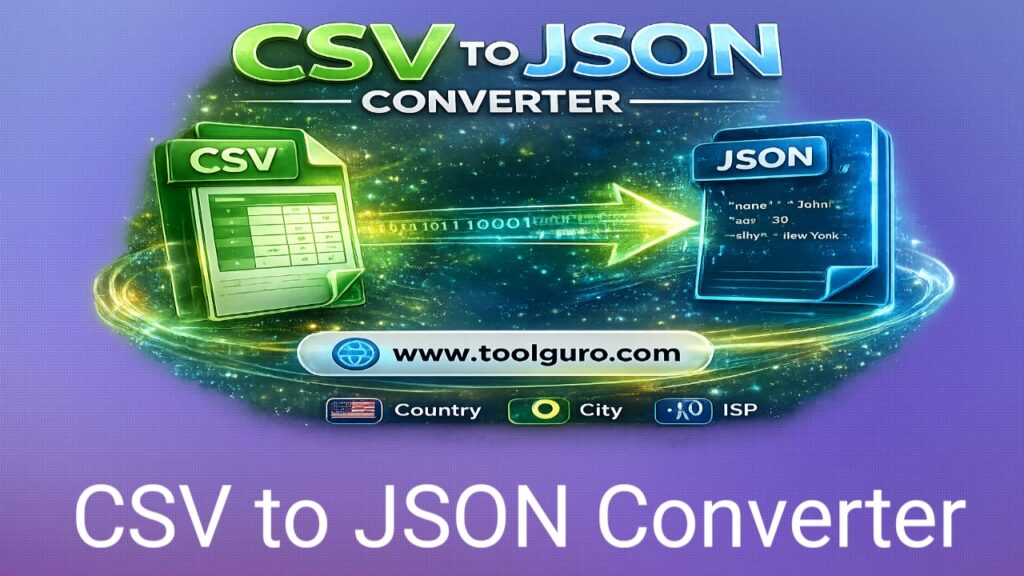
The Role of the Web Master Digital Pro Toolkit
When looking for the right tools, you want a platform that offers more than just basic conversions. The Web Master Digital Pro Toolkit is a great resource for developers and digital marketers who need fast, reliable utilities. Whether you need to minify code, convert file formats, or check SEO, having a centralized hub is crucial.
Comparison of Data Formats: CSV vs. JSON
To help you understand why transformations are often necessary, check out the comparison table below:
| Feature | CSV | JSON |
| Complexity | Simple, flat, tabular | Complex, hierarchical, nested |
| Readability | High for humans (tabular) | High for machines, moderate for humans |
| Data Types | Limited (mostly strings/numbers) | Robust (strings, numbers, arrays, booleans) |
| Usage | Data storage, Excel exports | Web APIs, Configuration files, NoSQL DBs |
CSV to JSON Converter
How to Effectively Convert CSV to JSON
Step-by-Step Manual Conversion (Concept)
If you want to understand the conversion process, the CSV to JSON converter follows this logic:
Read Header: The tool identifies the first row of the CSV as the “keys” for your JSON objects.
Iterate through rows: Each subsequent row is treated as a new object.
Mapping: The tool maps the values in a specific column to the corresponding header key.
Format: The tool wraps the data in braces {} and creates an array [] to hold multiple records.
Automated Solution
For professional projects, you shouldn’t write conversion scripts from scratch. Instead, visit https://toolguro.com/ to find high-performance tools that simplify your workflow. Using a dedicated CSV to JSON converter saves hours of debugging time and allows you to focus on your actual development tasks instead of formatting data.
Best Practices for Data Conversion
When working with data transformations, follow these guidelines to keep your data “production-ready”:
Cleanse your data first: Before running the conversion, ensure your CSV doesn’t contain broken lines or empty headers.
Handle encoding: Always ensure your CSV is UTF8 encoded. If you’re working with special characters, non-UTF-8 files may cause symbols to appear strangely in your final JSON.
Check nested data: If your CSV displays a hierarchical relationship (e.g., parent -> child), a standard flat converter may not be sufficient. You may need a tool that supports custom mapping.
Technical Tip: Avoiding Common Mistakes
If you’re working with large datasets, remember that JSON has a very strict structure. A common issue during conversion is the inability to escape special characters. Always use a robust CSV to JSON converter that automatically handles character escaping to prevent JSON parsing errors in your application.
Frequently Asked Questions (FAQs)
- Is it safe to convert sensitive data using online converters?
If you’re using a reputable site like https://toolguro.com/, your data is generally processed securely. However, for highly sensitive or private enterprise data, it’s recommended to use an offline tool or write your own internal conversion script.
- Can I convert the JSON back to CSV?
Yes, most professional toolkits offer two-way conversion services. Just as you can convert tabular data into objects, you can flatten JSON objects back into a grid format.
- What if my CSV file is very large?
Online converters often have size limits. If your file is several gigabytes, you should use a command-line tool like csvkit or a custom Python script using the pandas library.
- Who can I contact for help with technical tools?
If you encounter problems using a specific toolkit or need help with custom development, you can contact support at aounjora6767@gmail.com.
- Does conversion affect data quality?
If the tool is high-quality, the data content remains 100% the same. Only the syntax (wrapper) changes.
The Result
In the rapidly changing world of web development and data science, efficiency is everything. Being able to easily move data between formats is a fundamental skill. Whether you’re preparing datasets for machine learning models or updating APIs, a reliable CSV to JSON converter is a vital companion.
Web Master
By using resources like the Digital Pro Toolkit and keeping your data clean and well-structured, you can bypass the tedious parts of data management and focus on building new solutions. Remember, the goal is to spend less time formatting your data and more time putting it to use.
If you found this guide helpful or have any questions about data automation feel free to contact us at this Gmail aounjora6767@gmail.com. Keep optimizing, keep coding, and stay ahead of the curve!