Free Time Tracker for Remote Teams
⏱ Time Tracker for Remote Teams Free
Timer
Time
Entries
Hours
Earnings
Records
Developer: SSS KAMBOH CHAUDHARY
The Ultimate Guide to Finding a Free Time Tracker for Remote Teams
The corporate environment has completely changed. Remote work is no longer a temporary perk or a tech-industry novelty; it’s a permanent part of the global economy. While this shift offers unprecedented flexibility for employees and cost savings for employers, it also presents a unique managerial challenge: how do you measure productivity, ensure accountability, and manage budgets when your team is spread across different time zones?
The answer lies in using smart, efficient software. However, building a tech stack for a growing business can quickly become expensive. That’s why finding a reliable, free time tracker for a remote team is a game-changer. It lets you streamline operations without depleting your financial resources. Free Time Tracker for Remote Teams.
If you’re looking to further optimize your workflow, platforms like ToolGuro offer a great suite of utilities. Their Web Master Digital Pro toolkit is specifically designed to help digital businesses and remote leaders maximize their efficiency without spending a fortune.
Why Remote Teams Need Time Tracking
Managing a distributed workforce requires focusing on actual output and project milestones, rather than tracking hours spent sitting at a desk. A dedicated time tracking tool serves as a bridge connecting trust and transparency.
Here’s why implementing a time tracking system is crucial for today’s remote operations:
Accurate Client Billing: If your agency or consultancy charges by the hour, accuracy is a non-negotiable. Estimating hours can lead to lost revenue or damaged client relationships.
Improved Productivity Insights: Employees can review their data to identify time-wasting habits and optimize their daily schedules.
Avoiding Burnout: In a remote setup, the line between work and personal life often becomes blurred. Time tracking helps managers see who is overworking, allowing them to effectively redistribute tasks.
Streamlined Project Management: Seeing how long tasks take helps project managers set realistic deadlines and plan future sprints with greater accuracy.
Key Features to Look for in a Free Remote Time Tracker
Not all free software is the same. Some “free” versions are just window-dressing trials designed to be upgraded within a week. When considering a time tracker for remote teams with a free tier plan, look for features that provide real, long-term value.
- Uninterrupted Automatic & Manual Tracking
The tool should serve flexibility. Some employees prefer a simple “start/stop” button, while others benefit from automated tracking that logs time based on active applications or website visits.
- Complete Reporting and Analytics
A time tracker is only as good as the data it produces. The free version should allow you to filter time by project, client, or team member and create clear visual reports.
- Cross Platform Compatibility
Remote workers use the variety of operating systems & devices. A versatile tool should offer robust cross-platform support to ensure no one is left out of the loop.
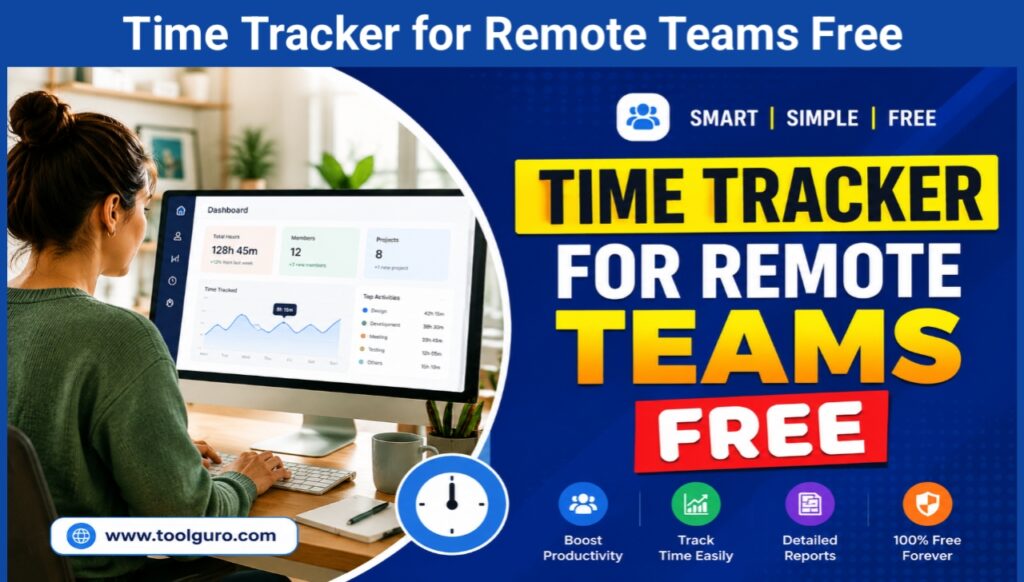
Desktop Application
A native desktop app for Windows, macOS, or Linux is essential for tracking offline work and providing gentle reminders to start a timer when activity is detected.
The Mobile & the Web Integration
For more team members who work on the go or handle client calls away from their computers mobile apps (iOS & Android) & browser extensions (Chrome and Firefox) provide continuous logging. Free Time Tracker for Remote Teams.
Comparison of the Best Free Time Tracking Tools
To help you make an informed choice, we’ve analyzed the top free time tracking platforms available today. Each has its own unique strengths depending on your specific team dynamic.
| Tool Name | Free Plan Team Limit | Core Free Features | Best Used For |
| Clockify | Unlimited Users | Time tracking, basic reporting, API access, kiosk mode | Large remote teams needing a standard, scalable solution |
| Toggl Track | Up to 5 Users | Idle detection, automated triggers, 100+ integrations | Small creative teams and freelancers seeking an intuitive UI |
| MyHours | Unlimited Users | Project billing, task tracking, report exporting to PDF | Teams looking for simple, straightforward project-based logging |
| Homebase | Up to 20 Users (1 Location) | Shift scheduling, time clock, team communication | Location-independent teams transitioning from brick-and-mortar setups |
Increase Efficiency with the Web Master Digital Pro Toolkit
When managing digital workflow, time tracking is just one part of the puzzle. Remote teams often require a variety of specialized tools to manage websites, customize content, analyze data, and simplify daily tasks. This is where ToolGuro comes in as an essential companion.
ToolGuro’s Web Master Digital Pro Toolkit provides a centralized hub of high-utility web tools that easily handle your time-tracking tasks. By combining a free time tracker with ToolGuro’s developer, SEO, and content management utilities, remote teams can eliminate the hassle of switching between dozens of paid subscriptions. Whether you need to audit the performance of a website, quickly format code, or optimize digital assets, free access to these tools ensures that your team spends less time finding solutions and more time getting things done effectively.
How to Implement a Time Tracker Without Micromanaging
One of the biggest challenges when introducing a time tracker to a remote team is resistance from employees who are afraid of being micromanaged. To make the rollout smooth, you need implementation with empathy and clear communication.
Explain the “why”: Explain clearly that the goal is to improve project estimating, automate invoicing, and balance workloads – not to monitor their every keystroke.
Focus on macro data: Don’t pay too much attention to small errors in an employee’s daily log. Look at trends over the week or month to measure overall productivity.
Lead by example: Managers and team leaders should also publicly track their time. This simplifies the process and creates a culture of shared accountability.
Keep it simple: Choose a tool that requires minimal learning. If keeping track of time becomes a time-consuming task, the effort will be wasted.
Frequently Asked Questions (FAQ)
Can one free time tracker really handle an entire remote team?
Yes. Many platforms like Clockify offer a completely free tier that supports unlimited users and essential tracking features forever. They make money through advanced features like automated invoices or hidden activity screenshots, which many standard remote teams don’t really need.
Do leisure time trackers compromise data privacy?
Reputable free tools adhere to the strictest global privacy standards like GDPR and CCPA. However, always review the tool’s privacy policy before adding your team to make sure they don’t sell user data to third-party advertisers.
How do I sync time tracking with my existing project management tools?
Most top-tier free time trackers offer browser extensions that embed the “Start Timer” button directly into popular project management platforms like Trello, Asana, Jira, and Monday.com.
Are there other free tools that can help remote web development teams?
Absolutely. Remote webmasters and digital teams can use the Web Master Digital Pro Toolkit on ToolGuro to access free web utilities that streamline their daily time logging, as well as their development, design, and content optimization workflows.
The Results
Finding the right free time tracker for remote teams does not mean you have to settle for inferior software. By choosing the platforms that offer a free tier like Clockify for a larger teams or Toggle for smaller groups then you can create a organized, transparent & productive remote work culture.
Remember, software is only as good as the ecosystem that supports it. Improve your team’s operational capabilities by integrating the free resources in the Web Master Digital Pro Toolkit at Toolguro. With the right tracking software and a customized toolkit, your remote team will be well-prepared to achieve milestones efficiently, accurately, and on budget.