Super Fast Browser Based Code Editor No Install
Browser Based Code Editor No Install
Live Preview (HTML supported)
The Ultimate Guide to Using a No-Install Browser-Based Code Editor
Today’s development environments are rapidly shifting from bulky local setups to lightweight, readily accessible cloud environments. Whether you’re a student writing your first line of Python, a seasoned DevOps engineer fixing production bugs from a tablet, or a web creator looking for a simpler workflow, finding a no-install browser-based code editor solution can completely transform your workflow.
For those who want to dive directly into web tools and development resources, platforms like Toolguro offer excellent utilities, and you can always contact the administration at aounjora6767@gmail.com for specific inquiries. Throughout this guide, we’ll explore why frictionless coding environments are gaining popularity, how the Web Master Digital Pro Toolkit concept optimizes your productivity, and which platforms deserve a place in your bookmarks bar.
Why Choose a No-Install Browser-Based Code Editor?
For decades, the standard initial work for any software developer involved downloading a massive integrated development environment (IDE), configuring local environment variables, installing compilers, and grappling with different dependency versions. If you changed computers, you had to start the entire process over again.
A browser-based code editor, No Install, eliminates this hassle completely. Using modern web standards like WebAssembly, cloud containers, and advanced browser rendering engines, these platforms let you open a new tab and start writing, running, and debugging code in seconds.
Understanding the Key Benefits
Zero configuration overhead: You don’t need to waste hours setting up paths or downloading gigabytes of SDKs. The runtime environment is pre-configured in the cloud or sandboxed within your browser.
Hardware Independence: Because heavy workloads can be offloaded to cloud servers, you can write complex software even on a low-spec Chromebook, old laptop, or smartphone.
Ultimate Portability: Your workspace follows your account. If you leave your desk at home and open your laptop at a coffee shop, your open files, terminal states, and preferences remain exactly where you left them.
Key Features of Modern Cloud IDEs
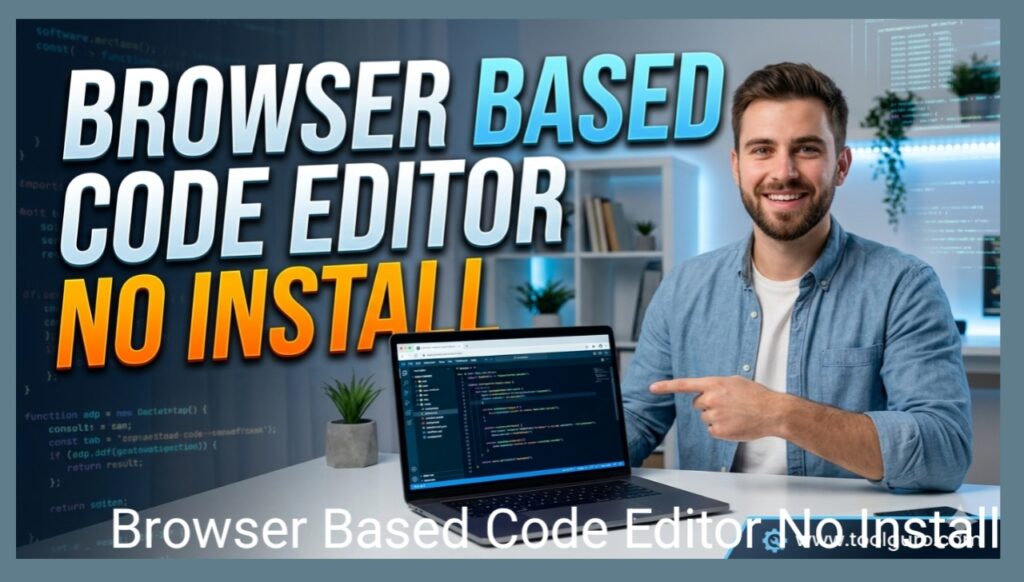
To fully understand the power of online environments, we need to look at the core mechanics that make a browser-based code editor (no install) as fast and capable as a traditional desktop application.
Real-Time Collaboration
Just as Google Docs revolutionized document editing, cloud-based code editors have transformed code review and pair programming. Multiple developers can work simultaneously on the same file, track the cursor in real time, and debug live terminal output simultaneously.
Integrated Terminals and Runtimes
A true browser-based development environment doesn’t just let you type text; it provides a real runtime environment. Many modern platforms launch a micro-Linux container or Node.js process in the background, giving you access to a fully functional interactive terminal where you can run commands, install npm packages, or compile binaries.
Extension Ecosystem
Many well-known browser editors are built on the open-source foundation of VS Code (Monaco Editor). This means they support popular extensions, custom themes, linting, and intelligent auto-completion (Intelligence) from the outset, providing a familiar ecosystem without the need for extensive installation.
Comparison of Top Browser-Based Coding Environments
To help you choose the right setup for your development workflow, here’s a detailed breakdown of the leading browser-based platforms currently in the market.
| Platform | Best For | Core Language Support | Terminal Access | Offline Capability |
| VS Code for the Web (vscode.dev) | Quick local file edits & GitHub browsing | JavaScript, TypeScript, HTML, CSS, Markdown | No (Static local editing) | Yes |
| StackBlitz | Frontend web apps & fullstack Node.js | Next.js, React, Vue, Angular, Node.js | Yes (via WebContainers) | Yes |
| Replit | Rapid prototyping & collaborative building | Python, Java, C++, Go, Ruby, Node.js | Yes (Full Cloud VM) | No |
| GitHub Codespaces | Enterprise-grade projects & repository integration | Any language supported by Docker containers | Yes (Dedicated Linux VM) | Partial |
Learn more about the features of the Web Master Digital Pro Toolkit
When configuring an optimized web workspace, using a comprehensive suite of utilities like the Web Master Digital Pro Toolkit ensures you’re not limited to writing raw code. A true developer needs formatting tools, regex testers, visual previewers, and minifiers alongside their main editor.
How the Web Master Digital Pro Toolkit Improves Workflow
Integrating specialized web utilities with your main online IDE creates a unified pipeline. The Web Master Digital Pro Toolkit acts as your complementary engine, allowing you to quickly sanitize data, inspect payloads, and create layout mockups without context-switching to heavy desktop apps.
Seamless Integration
By organizing your workspace around the browser ecosystem, you can easily snap your browser-based code editor (No Install) to one half of your screen and your Web Master Digital Pro Toolkit utilities to the other half. This fluid spatial arrangement makes web development incredibly responsive and dynamic.
Light-Speed Performance
Unlike desktop suites, which drain your device’s battery and use system RAM, running lightweight browser utilities alongside your editor ensures your system stays cool and your development cycles are fast. Relying on Web Master Digital Pro Toolkit’s cloud-native design ensures maximum uptime and accessibility from any device worldwide.
Special Benefits for Different User Profiles
The changes to the browser-based code editor (No Install) setup benefit different levels of tech professionals and hobbyists in different ways.
- Teachers and Students
Previously, teaching coding meant spending the first three weeks of the semester fixing installation errors on Windows, macOS, and Linux laptops. With a browser editor, an instructor would share a single web link, and every student would immediately start with the same working environment, dependencies, and code configuration.
- Freelancers and Agency Developers
When moving between multiple client projects, managing different node versions, environment variables, and secure API keys can become a logistical nightmare. Cloud IDEs allow freelancers to isolate each client’s project in its own, brand-new, self-contained virtual sandbox.
- Open Source Contributors
Reviewing a pull request on GitHub required first pulling the branch locally, installing dependencies, and launching the project. Now, using the web-based environment, you can quickly launch a browser editor, review changes, test builds, and easily provide feedback by pressing a single keyboard shortcut (.) on any GitHub repository.
Frequently Asked Questions (FAQ)
Can I use a browser-based code editor without an active internet connection?
Yes. Platforms like vscode.dev and StackBlitz use advanced browser capabilities like service workers and WebContainers. This allows them to boot up, read local files, and run JavaScript/Node.js micro-environments completely offline, right inside your browser storage.
Is my code & data safe in a cloud based editor?
Most well-known cloud IDE providers implement enterprise-grade security protocols, end-to-end encryption, and isolated container sandboxing. However if you are working with highly sensitive corporate IP or regulated medical data you should verify your organization’s compliance guidelines before uploading proprietary code to a third party cloud environment.
Do online code editors support Git and version control?
Absolutely. Most modern browser-based editors have deep native integration with GitHub, GitLab, and Bitbucket. You can easily clone repositories, create staging branches, stage files, write commit messages, and push changes directly from the editor’s visual interface or integrated terminal.
What are the main limitations compared to desktop IDEs?
While a browser-based code editor with no-install setup handles web development, scripting, and microservices seamlessly, it can present challenges when working with heavy mobile app development (such as iOS/Android compilation, which requires Xcode/Android Studio), complex hardware interfacing, or large desktop game development suites.
Conclusion
Adopting a browser-based code editor with no-install workflow offers a new level of freedom, speed, and cross-platform flexibility for modern developers. By eliminating the hassles of a local environment and combining your workspace with a resource suite like the Web Master Digital Pro Toolkit, you create a highly portable, yet powerful digital workshop. Whether you’re building complex applications on the go or simply experimenting with a new framework, the browser is now the only way to access content.