
SEO Audit Tool for Client Reporting
SEO Audit & Reporting
Generate white-labeled health reports for client sites.
The Ultimate Guide to Choosing an SEO Audit Tool for Client Reporting
In the rapidly changing world of digital marketing, agencies and freelancers frequently face a challenge: transforming complex technical data into clear, actionable information for clients. A high-quality SEO for Free audit tool for client reporting fills this gap by transforming raw metrics into visually appealing, easy-to-understand reports. When clients can clearly see the value of your work, retention rates improve, upsell opportunities increase, and trust is strengthened. Striking the right balance between comprehensive data analysis and excellent presentation is the key to any search engine optimization agency’s growth.
Why White-Label SEO Reports Are Important for Agencies
Clients rarely care about the minutiae of log file analysis or canonical tag implementation. Instead, they care about growth, visibility, and return on investment. This is where customized, white-label reporting comes in handy.
Building Trust Through Data Transparency
When you present data under your brand, it establishes your agency as a trustworthy voice. Transparency builds trust, but raw data dumps can be confusing. A structured report guides clients about their website’s current health status without overwhelming them with complex jargon.
Saving Time Through Automation
Manually extracting data from multiple platforms like site crawlers, backlink checkers, and speed test tools is a time-consuming task. Automating this workflow ensures your account managers spend less time creating spreadsheets and more time implementing strategies.
Key Points of a High-Performing SEO Audit Tool
Not all auditing software is created equal. To ensure your client presentations are error-free, look for tools that provide high-level summaries as well as in-depth technical diagnostics.
Technical SEO Analysis
A robust auditing system should detect critical backend errors that harm search rankings. Your reporting platform should check for:
Broken links (404 errors) & incorrect redirect chains.
Sitemap errors and incorrect robots.txt configurations.
Slow page loading speeds on both desktop and mobile layouts.
Mobile responsiveness issues.
On-page and Content Metrics
Content is crucial, but only when it’s properly optimized. Effective reports should highlight on-page opportunities such as missing meta titles, duplicate descriptions, thin content, and unoptimized header structure.
Backlink Profile Evaluation
Off-page signals significantly impact domain authority. A reliable report should clearly break down a client’s link profile so they can understand their digital footprint.
Toxic Link Identification
Highlighting spammy or low-quality inbound links gives you a clear path to offering link-detox services, turning a simple report into an instant upselling opportunity.
Comparative Analysis of Reporting Metrics
To help you understand which data points matter most to your clients and what matters to your technical team, consider the breakdown below:
| Metric Type | Technical Importance | Client Value | Ideal Presentation Style |
| Core Web Vitals | High (Affects Rankings) | Medium (Improves UX) | Simple Pass/Fail Badge |
| Organic Traffic Trends | High (Measures Growth) | High (Shows ROI) | Line Chart over 12 Months |
| Keyword Rankings | High (Tracks Visibility) | High (Competitor Focus) | Top 10 vs Top 30 Movement Table |
| Crawling & Indexation | Critical (Basic Foundation) | Low (Too Technical) | Health Score Percentage |
A Step-by-Step Guide to Creating an SEO Report for a Client
Set Goals: Tailor the report to your client based on whether the client is a small local business or a large enterprise e-commerce storefront.
Set a Benchmark: Always include historical data so the client can compare current performance to where they started.
Prioritize Improvements: Group issues into “Critical,” “Warning,” and “Notice” tiers so the client understands which ones require immediate investment.
Add Contextual Commentary: Don not just show a chart write a short summary that explains the meaning of the No in simple and easy English.
Outline Next Steps: End each report with a clear action plan for the coming month to ensure contract renewal.
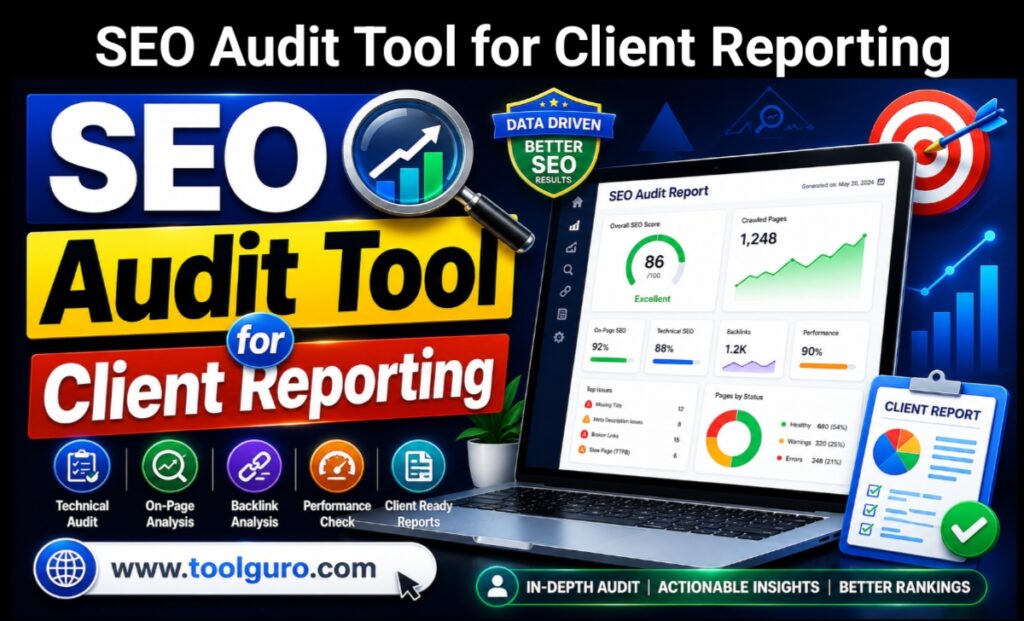
Introducing the Web Master Digital Pro Toolkit
If you’re looking for an all-in-one ecosystem designed to simplify website analysis and white-label generation, the Web Master Digital Pro Toolkit is an excellent choice. Designed specifically for digital agencies, developers, and search professionals, this system eliminates friction in client communication.
Using a professional SEO audit tool for client reporting, you can easily white-label your documents with a custom logo, unique brand colors, and structured action items. Explore the platform’s full capabilities by visiting ToolGuro, where you can unlock automated insights that instantly impress stakeholders. For custom agency onboarding options or enterprise integrations, you can contact their support team directly at aounjora6767@gmail.com to create a unique reporting flow tailored to your brand.
Frequently Asked Questions (FAQs)
How often should I send SEO audit reports to my clients?
For ActiveCampaign, a full monthly summary is standard. However, during initial onboarding or major site migrations, a high-level health check every week can inform and reassure stakeholders.
What’s the difference between an internal audit and a client report?
An internal audit is highly technical and detailed, and is used by developers or SEO specialists. A client report filters out minor technical issues and focuses more on high-level health scores, traffic growth, conversions, and clear progress tracking.
Can an automated tool completely replace human analysis?
No. While software saves hours by collecting and organizing data, an expert must understand that data. Adding your own personalized strategy notes to automated reports is what truly delivers value to clients.
The Result
Mastering client communication is as crucial to an agency’s longevity as getting keywords to the first page of Google. Using a comprehensive SEO audit tool for client reporting allows you to demonstrate your true value without getting bogged down in complex configurations. By choosing a robust framework that prioritizes clarity, automation, and actionable steps, you enhance your agency’s professionalism and ensure long-term client loyalty.