Word Counter Tool
The Ultimate Guide to Using a Word Counter Tool for Better Writing
In our fast-paced digital world, words are the currency of communication. Whether you’re a student rushing to finish a university essay, a freelance blogger writing SEO-optimized articles, or a novelist tracking their daily progress, every character counts.
But let’s be honest: counting words by hand or relying on clunky, slow software can hinder your creative flow. That’s where a professional word counter tool comes in.
If you’re looking for an easy, lightning-fast, and highly accurate way to analyze your text, the Web Master Digital Pro Toolkit offers the perfect solution. In this complete guide, we’ll explore why word count matters, how a modern counter can transform your workflow, and how to use these tools to improve your writing.
What is a Word Counter Tool?
Essentially, a word counter tool is a digital utility designed to instantly calculate the number of words, characters, sentences, and paragraphs in a given text.
Gone are the days when these tools were basic, one-dimensional calculators. Today’s advanced platforms—like the one found at https://toolguro.com/—perform in-depth analysis of text. They function like a digital editor, providing information about readability, estimated reading time, and keyword density.
Why Digital Writers Rely on Text Metrics
Writing without tracking your word count is like driving without a speedometer. You may reach your destination, but you risk breaking the rules along the way. Different platforms, industries, and academic institutions demand strict adherence to length restrictions. A reliable counter ensures you always arrive at the right place.
Why You Need a Reliable Word Counter Tool
Many people ask, “Why do I need a dedicated online tool when my word processor already has a built-in counter?” It’s a valid question. However, standard desktop processors often hide these metrics under nested menus or don’t update in real-time.
Here’s how a dedicated online counter changes the game:
1. Increases SEO and Content Marketing Success
Search engines love complete content, but they also value structure. Long-form content typically ranks better, but stuffing articles with unnecessary information just to get numbers will impact your bounce rate. Using a word counter tool, you can monitor your text length as well as keyword frequency to ensure your content is balanced, informative, and fully optimized for Google.
2. Facilitates academic integrity
Students face strict limitations. Write too little, and you won’t be able to argue your point; write too much, and professors will punish you for being short. A character counter helps you manage abstract length, thesis limitations, and essay requirements down to the last punctuation mark.
3. Optimizes social media engagement
Every social media platform operates on a strict character limit.
X (formerly Twitter): Requires micro-brevity.
LinkedIn: Requires short, professional hooks.
Meta (Facebook/Instagram): Prefers strong captions before the “See More” button cuts them off.
Using the Webmaster Digital Pro Toolkit, you can pre-edit your social posts so they never get awkwardly cut off.
Key Features of the Webmaster Digital Pro Toolkit
When choosing an online assistant, you shouldn’t compromise on basic functionality. The modern ecosystem demands a multi-metric approach.
Here’s why a premium tool stands out:
Real-Time Analysis
You shouldn’t have to press “Submit” every time you change a comma. The best utilities dynamically update your metrics as you type or delete text.
Comprehensive Metric Breakdown
A robust platform analyzes your text from multiple lenses:
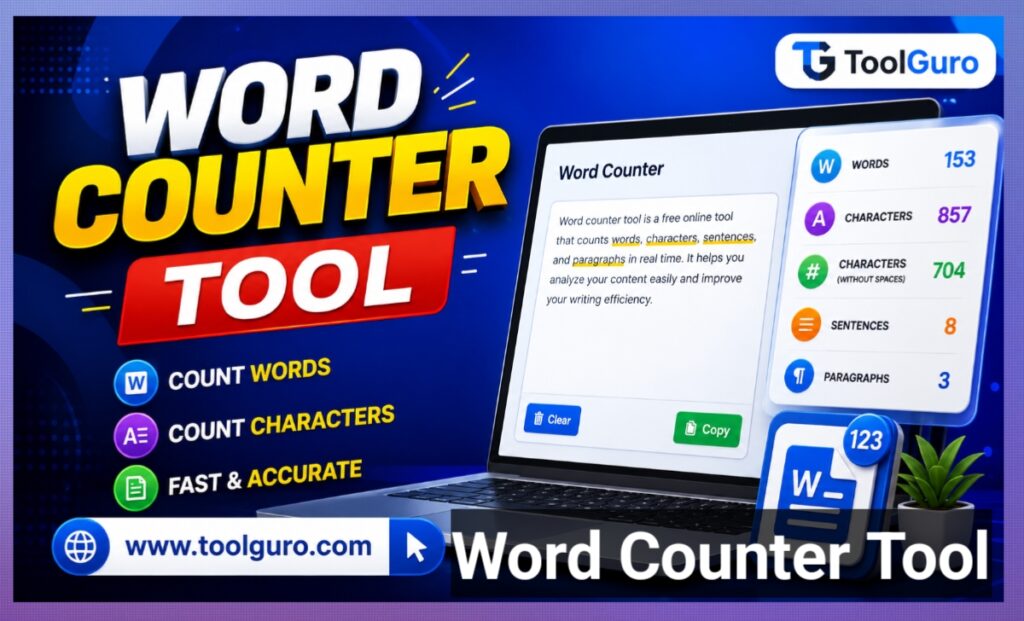
Word Count: The total number of distinct words.
Character Count (with spaces): Required for coding, metadata, and SMS limits.
Character Count (without spaces): Ideal for specific publisher data sheets.
Paragraph Count: Helps track structural readability and visual pacing.
Sentence Count: Useful for calculating average sentence length and readability score.
Platform Limits and Character Guidelines
To give you a clear roadmap for how to optimize your writing for the web, we’ve compiled a definitive breakdown of standard industry length requirements.
| Platform / Content Type | Ideal Word Count | Maximum Character Limit | Why It Matters |
| Google Meta Title | 7–10 words | 60 characters | Prevents truncation in search results. |
| Google Meta Description | 20–30 words | 160 characters | Maximizes Click-Through Rate (CTR). |
| X (Twitter) Post | 10–40 words | 280 characters | Forces clear, punchy communication. |
| LinkedIn Post | 100–300 words | 3,000 characters | Keeps professional audiences engaged. |
| Standard Blog Post | 1,000–2,500 words | No limit | Maximizes SEO authority and depth. |
| Academic Essay | 1,500–3,000 words | Varies | Demonstrates thorough research. |
Click Here To Use Word Counter Tool 👇👇👇
Word Counter Tool
Analyze real-time data character limits, text depth, and reader engagement metrics.
How to Use the Word Counter Tool
Using an online text analyzer effectively is very easy. However, maximizing its potential requires a little strategy.
Step-by-Step Guide to Analyzing Your Text
Step 1: Copy and Paste Your Content
Open your working document, select the text you want to analyze, and copy it (Ctrl+C or Cmd+C). Go to the Word Counter tool interface at https://toolguro.com/ and paste it (Ctrl+V or Cmd+V) into the interactive text box.
Step 2: View Real-Time Topline Metrics
Immediately view the top dashboard header. You’ll see your total word and character counts populate in less than a millisecond.
Step 3: Check Your Structural Flow
Check sentence and paragraph distribution. If your sentence count is low but your word count is high, it means you’re writing long, run-on sentences that could confuse your reader.
Step 4: Refine and Edit Live
You don’t need to go back to your original software. You can edit, trim, and polish your paragraphs directly in the tool window until you reach your exact target metrics.
Advanced Writing Metrics You Should Monitor
While basic word counting is helpful, elite writers use word counter tools to analyze deeper text patterns. If you want to go from a good writer to a great writer, pay attention to these advanced metrics.
Keyword Density
Keyword stuffing is an outdated SEO practice that can lead to search engine penalties. A professional tool shows your most frequently used words. If your target keyword accounts for more than 2% to 3% of your total text, it’s time to use some synonyms to keep your writing natural and human.
Estimated Reading and Speaking Time
Have you ever wondered how long it will take someone to read your newsletter? Or how long your speech will be at an upcoming conference?
Reading Time: The average adult reads at about 200 to 250 words per minute (WPM).
Speaking Time: An average presentation speech is approximately 130 to 150 words per minute.
By tracking these averages you can tailor scripts & articles to your audiences’ schedule accordingly.
Who Benefits From the Webmaster Digital Pro Toolkit?
This versatile digital toolkit is not just for seasoned writers. It’s for a wide variety of professionals around the world.
The Content Creators & Copywriters
Ad agencies use character counters to create perfect Google Ads, Facebook headlines, and engaging email subject lines, where each character determines whether the email will be opened or sent straight to the trash.
Students and Academics
From admission essays to complex PhD dissertations, academic formatting is very strict. Staying within guidelines shows reviewers that you can follow instructions and present your arguments concisely.
Translators and Localization Experts
Many translation projects are billed by word. Translators use word counter tools to calculate accurate costs, verify project scope, and compare the length of the source text with the translated output, as languages like German or French often require more space than English.
Frequently Asked Questions (FAQs)
What is the most accurate word counter tool available online?
The analytical applications are available through the Web Master Digital Pro Toolkit at https://toolguro.com/ offer the best accuracy. They instantly process text strings, accurately filtering or accounting for spaces, punctuation, and hidden formatting symbols.
Does the word counter include spaces and punctuation marks?
A standard word count only registers individual groups of characters separated by spaces. This tool tracks character count (with spaces) and character count (without spaces), giving you complete clarity based on your specific publishing needs accordingly.
Can I safely use this tool without compromising my privacy?
Yes. Privacy is a top concern when handling unreleased manuscripts or sensitive company data. Reputable platforms process your text locally in your web browser. Your content is never uploaded to external servers, stored in logs, or shown to third parties.
Why does my word count vary in different software programs?
Different programs use slightly different algorithms for handling special characters. For example, some programs treat a hyphenated word (like “state-of-the-art”) as a single word, while other platforms count it as four separate words. Using a standard online tool eliminates this difference.
Is there a limit on how many words I can paste at once?
Most standard users will never reach the limit. The processing engine is fully optimized to handle everything from short social media captions to large, multi-chapter book manuscripts with ease.
The Result
In today’s digital environment, accuracy is everything. Writing too much can dilute your main message and bore your audience, while writing too little can leave search engines and readers feeling dissatisfied.
By integrating a dedicated word counter tool into your daily creative workflow, you eliminate the need for guesswork. You gain complete, microscopic control over your text metrics, keyword distribution, and structural readability.
When you are ready to experience an easy human centric editing process visit the Webmaster Digital Pro Toolkit at https://toolguro.com/. Improve your workflow, content, and make every word count!